A practice computer for every student.
Your students work with files, accounts, permissions, firewall rules, and network recordings, all inside the browser tab. They type commands and watch the machine change.
Nothing runs on a server, and there are no lab licenses to buy. Students open the page and start working.
Watch a student investigate suspicious traffic
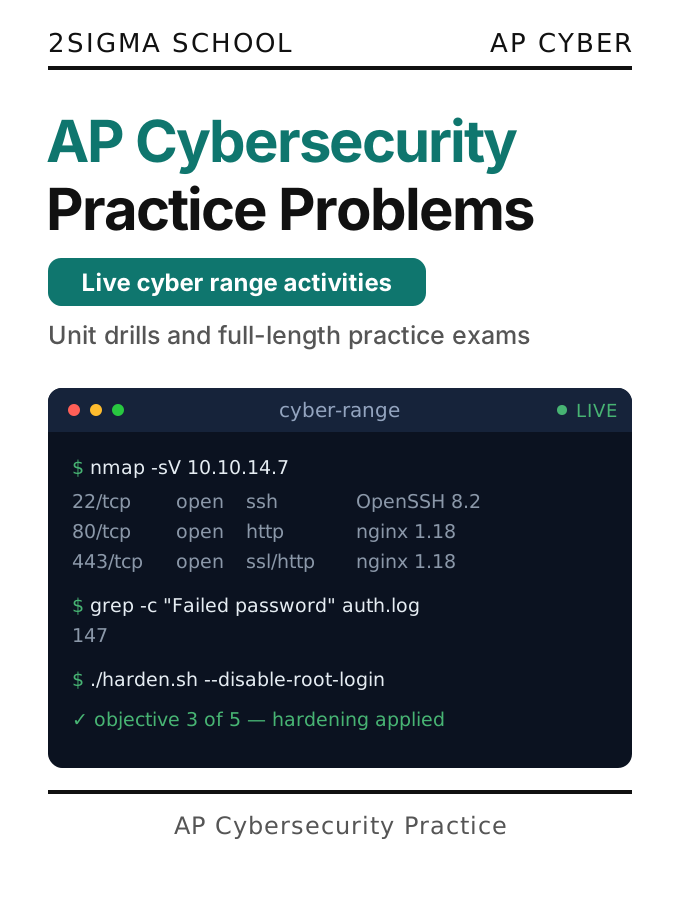
A gateway recorded ten minutes of traffic, and two machines opened connections they weren’t allowed to. This activity comes from AP Cybersecurity Practice Problems.
A scripted walkthrough of a range activity, not a live range. Students work in this same terminal, Script, and grading panel.
Teach security without building a lab
Most cyber ranges need virtual machines and an isolated network. This one runs in a web page.
Ready when students open it
The prompt appears in a second or two, with no VM to boot or lab to book. A substitute can run the lesson.
Safe to get wrong
The range can’t reach the internet or your network. Students can try the risky thing, then reset it in one click.
Whatever device they have
Works on a managed Chromebook without admin rights, installs, or special network access. It runs the same on an iPad or laptop, at school or at home.
A machine for every exercise
Each exercise opens with the accounts, files, and permissions it needs. Every student gets their own copy. Whether you teach one class or two hundred, there’s nothing to set up.
What your students do
Hands-on practice with the tasks an introductory security course covers.
Permissions and accounts
Set permissions and ownership, and switch between accounts and groups. Discover that a copy of a protected file isn’t protected.
Networks and firewall rules
See which rule allows or blocks a connection. Add a rule in the right place and watch the answer change.
Packet captures
Filter saved traffic to find which machine opened a connection it shouldn’t have, and to which port.
Keys and signatures
Make key pairs, seal a file for one reader, and create and check signatures. See why sealing to your own public key protects nobody.
Check their own work anytime
One click shows which requirements are met and which aren’t yet. Checking never disturbs their work.
A record of their thinking
The Script beside the terminal saves every command, even the ones the machine refused. Those often show what a student was thinking.
Built for an intro security course
The range is emulated: it models a Linux-style machine without running one. That keeps it instant, free to run, and impossible to break.
| Feature | Alps cyber range | A virtual machine lab |
|---|---|---|
| Files, folders, permissions, owners, and groups | ||
| Accounts and groups to switch between | ||
| Firewall rules and a network to reason about | ||
| Saved packet captures to read and filter | ||
| Keys, signatures, and sealed files | ||
| Ready for a lesson | As soon as the page opens | Once someone builds and maintains it |
| Runs on a managed Chromebook | ✓ through a remote desktop gateway | |
| What runs on a server or in the cloud | Nothing | A VM for each student, or a shared one |
| The work happens on the student’s own device | ✗ It runs on the remote machine | |
| A machine per exercise, per student | One machine, shared and reset | |
| Running programs and editors like vi or nano | ||
| root, sudo, and a real privilege boundary | ||
| Internet access and live traffic capture | ||
| Pipes, loops, and several commands on one line |
The first five rows cover what an introductory cybersecurity course asks students to do. If a student types something the range doesn’t have, it says so and usually suggests what to use instead. Nothing breaks, and nothing fails silently.
Students can also open a blank range in the Coding Sandbox anytime, as many as they want, to try things out.
Built for these courses
Range activities run through both AP Cybersecurity titles, in the lessons and in the practice problems.
Teaching cybersecurity from your own material? We can bring your book onto Alps as an interactive course. We work with publishers and support licensed editions. Talk to us about your book.
Give every student a machine to break
All it takes is a browser. No virtual machines, lab images, or admin rights. Start with the free Educator Basic plan.