The real Snap!, with your class built in.
The free Snap! editor is a wonderful place to build. Alps puts it inside your class: a ready course, assignments and due dates, every save kept, and grading beside the running project.
Teach the built-in Joy of Computing course, write Snap! projects of your own, or let students build freely in their Sandbox, all with the sign-in they already use.
Play it. Build it. Grade it.
One project from the book, from a student’s first look to your published grade.
A scripted walkthrough with sample students. The editor is Snap! running the book’s Rock Paper Scissors project.
Three ways to use Snap! in your class
Start from the course that comes with Alps, write projects of your own, or let students build whatever they like.
Teach the built-in course
Built in
Joy of Computing comes with Alps: 66 projects across 15 units, from a first animation to recursion and higher-order functions, most with a rubric and a reference solution. Add it to a class and students are building today. The Beauty and Joy of Computing is coming soon.
See the courseWrite your own Snap! projects
My Activities › Create Activity › Block Project › Snap!
Build the starting project in Snap! itself, then add instructions, predictions students answer before they edit, a requirements checklist they see ticked off, and a reference solution. Place it in any class. Publish a new version later, and students keep their own work.
Free building in the Sandbox
Sandbox › New Sandbox › Snap!
Students and teachers start Snap! projects of their own, outside any coursework. Nothing there is graded, work saves as they build, and students can copy an example you share to start from.
The full Snap! editor, inside your class
Students build in Snap! itself, the same editor used in classrooms everywhere. Alps puts the project’s instructions and its requirements beside the editor, saves their work as they go, and keeps every version.
- ✓ Requirements check off as students build, so they know what is left
- ✓ Work saves every 15 seconds, and every save is kept
- ✓ Instructions and the project’s videos open beside the editor
- ✓ Runs in the browser, so it works on Chromebooks
- ✓ Pictures and sounds from the course, or their own

Students read the code before they write it
Each project can open in play mode first. Students run it, look inside, and predict what it does. Then the editor opens.
-
1 Play it
Press the green flag and watch what it does. Nothing here is saved.
-
2 Look inside
Read the scripts that make it work, without changing them.
-
3 Predict
Answer a few questions about what it will do. Wrong is fine; say why.
-
4 Build
Edit in the full Snap! editor. Work saves every 15 seconds, and every save is kept.
-
5 Submit
Turn it in. You see it the moment they do.
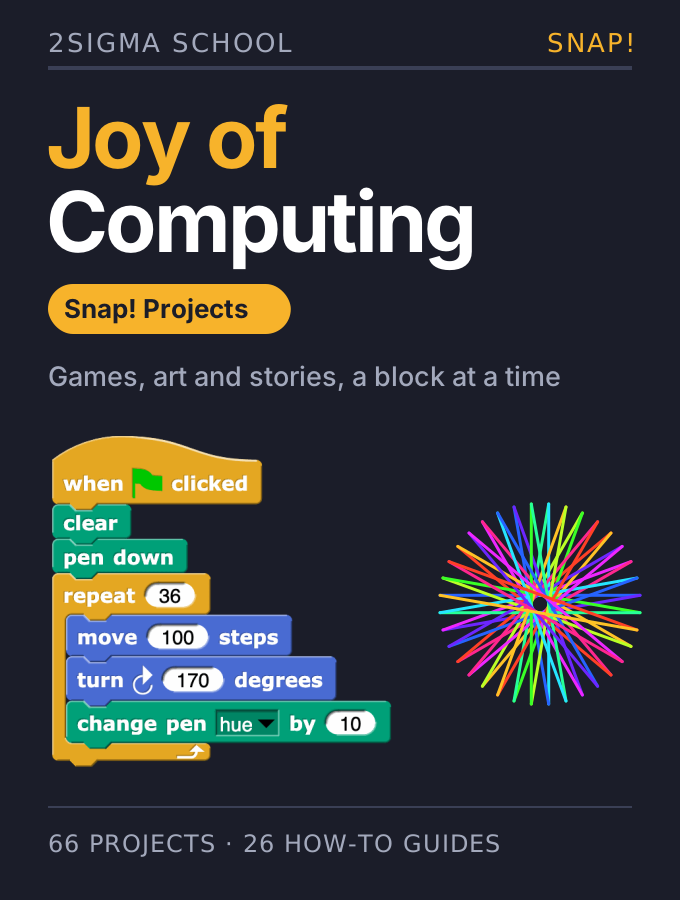
66 projects · 26 how-to guides
Joy of Computing: Snap! Projects
A project course that teaches programming by making things students want to show off: games, art, music and stories. Each project builds one idea on the last, so the class moves from a first animation to recursion without a dry chapter in between.
In every project
- ✓ Objectives, and step-by-step instructions with pictures
- ✓ A starter project students build from
- ✓ A reference solution, on most projects
- ✓ A rubric you score in one click per criterion, on most projects
Where Snap! goes further
Students build their own blocks, including ones that report a value or answer a question, then use recursion and map and keep over lists: ideas they will meet again in Python and Java.
Projects such as Rock Paper Scissors, Kaleidoscope, Space Invaders, Flower Garden and Tree Recursion. See the whole library.
Snap! books on the shelf
Joy of Computing comes with Alps, and The Beauty and Joy of Computing, from UC Berkeley and EDC, is coming soon. Have a block-based course of your own? We bring it into Alps with full fidelity.

Grade a whole class without leaving the project
Open any student’s project running, score it beside the work, and move to the next student in one click.

Try it yourself first
Every project in the book opens as your own copy, so you can build it before your students do. View solution opens the reference solution; students never see it.
Move through the class
Projects open read-only and running, just as the student left them. ‹ Prev and Next › name the student they open. Submitted work comes first, and students who haven’t started are skipped.
Score the rubric beside the work
Click a level for each criterion and the total updates as you go. Take a suggested level or pick your own, and review any grade Alps AI gave before it counts. Publish, and the grade reaches the Gradebook and your LMS.
See how it came together
Every save is kept. Play a student’s versions back, compare any two, or restore an earlier one. Restoring never removes anything.
Help inside their project
Change a student’s project to get them unstuck, and leave a note on why. They keep their own version, and yours becomes the newest.
See who needs you, live
While class is on, Live Activity shows who is building, who is reading and who has stopped, so you know whose project to open first.
Prefer AlpsBlocks?
The same Joy of Computing course is built for AlpsBlocks too, with its own projects and rubrics.
On the shelf with 40+ titles
Joy of Computing sits in the curriculum library beside textbooks, labs and question banks for every CS course.
Beside the book you teach
Add the projects to a class that already uses another textbook, and assign from both.
Snap! is developed by Jens Mönig at SAP and Brian Harvey at the University of California, Berkeley. Alps is not affiliated with or endorsed by the Snap! project.
Some pictures in the projects shown are from the Scratch 1.4 media library, used under CC BY-SA 3.0, and the Scratch 2.0 media library, used under CC BY-SA 2.0; edited copies are shared under the same licence. Scratch is a project of the Scratch Foundation, in collaboration with the Lifelong Kindergarten Group at the MIT Media Lab (scratch.mit.edu). Some characters are by Kenney, released under CC0.
Bring Snap! to your class
Start with Joy of Computing, write a project of your own, or open a Sandbox. Grading waits for you beside each project.